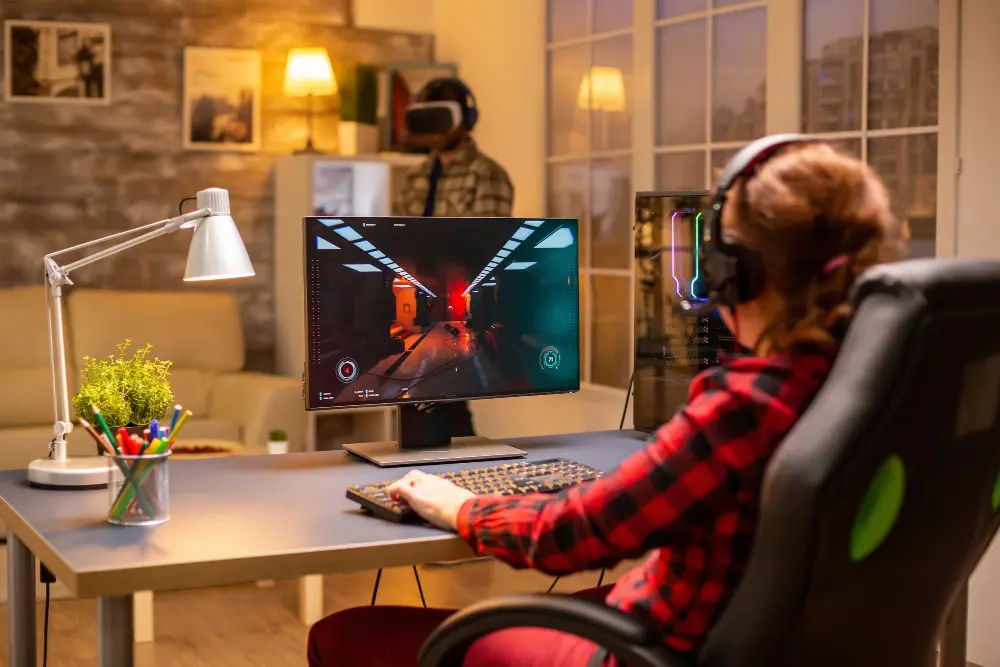
Few things are more frustrating than a game that doesn’t run smoothly. Whether it’s sudden frame drops during intense moments or constant stuttering that ruins immersion, performance issues can quickly turn an enjoyable session into a stressful one. The good news is that most of these problems have clear causes—and practical fixes.
In this guide, we’ll walk through why stuttering and frame drops happen and how you can fix them step by step.
Understanding the Problem
Before fixing anything, it’s important to understand the difference between stuttering and frame drops.
- Frame drops happen when your FPS (frames per second) suddenly decreases.
- Stuttering feels like brief freezes or uneven motion, even if your FPS seems stable.
Both issues are usually tied to how your system handles resources like CPU, GPU, RAM, and storage.
Common Causes of Stuttering and Frame Drops
1. High Graphics Settings
Running a game on ultra settings can push your hardware beyond its limits. When your GPU struggles, it results in lower FPS and inconsistent performance.
2. Background Applications
Too many programs running in the background can consume system resources, leaving less power for your game.
3. Outdated Drivers
Old or incompatible graphics drivers can lead to poor optimization and performance issues.
4. Overheating
When your CPU or GPU gets too hot, it slows down to protect itself. This process, called thermal throttling, often causes stuttering.
5. Slow Storage
Games installed on older hard drives (HDDs) may load data slower, causing stutters during gameplay.
6. Network Issues (For Online Games)
Lag and unstable connections can sometimes feel like stuttering, even though the issue is network-related.
Quick Fixes You Can Try First
If you’re experiencing performance issues, start with these simple solutions:
- Restart your PC to clear temporary processes
- Close unnecessary background applications
- Lower in-game graphics settings
- Update your GPU drivers
- Switch to fullscreen mode for better performance
These steps alone can solve many common issues.
Optimize Your In-Game Settings
Fine-tuning your game settings is one of the most effective ways to improve performance.
Lower Heavy Settings
Focus on reducing settings that impact performance the most:
- Shadows
- Anti-aliasing
- Reflections
- Post-processing effects
Lowering these can significantly boost FPS.
Adjust Resolution
If your system struggles, try lowering your resolution slightly or using resolution scaling. This reduces the workload on your GPU.
Enable Performance Modes
Many modern games offer built-in performance modes. These presets automatically adjust settings for smoother gameplay.
Improve System Performance
Update Your Drivers
Always keep your graphics drivers updated. New updates often include performance improvements and bug fixes.
Manage Startup Programs
Disable unnecessary startup applications to free up system resources.
Set Power Mode to High Performance
Switch your PC’s power plan to “High Performance” to ensure your hardware runs at full capacity during gaming.
Fix Overheating Issues
Heat is a major cause of performance drops.
- Clean dust from your PC fans and vents
- Ensure proper airflow inside your case
- Use cooling pads for laptops
- Monitor temperatures using software tools
Keeping your system cool helps maintain consistent performance.
Upgrade Where It Matters
If basic fixes don’t work, your hardware might be the limitation.
SSD vs HDD
Installing games on an SSD reduces loading times and minimizes stuttering caused by slow data access.
RAM
Upgrading RAM helps with multitasking and prevents performance dips in modern games.
GPU
A better graphics card can significantly improve FPS and overall stability.
Even small upgrades can have a noticeable impact.
Fix Network-Related Stuttering
For online games, performance issues may come from your internet connection.
- Use a wired Ethernet connection instead of Wi-Fi
- Close downloads or streaming apps while gaming
- Choose servers closest to your location
Reducing latency ensures smoother gameplay.
Understanding Performance Across Different Levels
Performance expectations vary depending on the level of play you’re in.
Low Limits: Focus on Stability
At beginner levels, smooth and stable gameplay is more important than high FPS. Basic optimization is usually enough.
Competitive Limits: Performance Matters More
As you move into competitive environments, higher FPS and lower input lag become critical. Even small improvements can make a difference.
High Limits: Precision and Consistency
At advanced levels, players aim for maximum performance. Any stutter or frame drop can affect timing and decision-making.
Understanding these levels helps you prioritize your optimization efforts based on your goals.
Advanced Fixes for Persistent Issues
If you’re still facing problems, try these advanced solutions:
Adjust In-Game Frame Limits
Set a frame cap slightly below your system’s maximum to maintain stable performance.
Use Performance Monitoring Tools
Track CPU, GPU, and RAM usage to identify bottlenecks.
Reinstall the Game
Corrupted files can cause stuttering. Reinstalling ensures a clean setup.
Update Your Operating System
System updates can improve compatibility and performance.
Evaluating Platform Performance
Sometimes, the issue isn’t your PC—it’s the platform itself. Poor server quality, bad optimization, or inconsistent matchmaking can affect gameplay.
When assessing a platform, consider:
- Server stability
- Optimization quality
- System requirements
Detailed evaluations—such as those occasionally referenced in sources like Ligacuan provide insights into how different platforms perform under real conditions.
Common Mistakes to Avoid
- Running games on maximum settings without checking performance
- Ignoring temperature issues
- Skipping driver updates
- Overloading your system with background apps
- Expecting high performance from low-end hardware
Avoiding these mistakes can save you time and frustration.
Final Thoughts
Stuttering and frame drops can feel frustrating, but they’re usually fixable with the right approach. By understanding the root causes and applying targeted solutions, you can significantly improve your gaming experience.
Start with simple fixes, optimize your settings, and gradually explore advanced solutions if needed. As your system becomes more stable, you’ll notice smoother gameplay, better responsiveness, and a more enjoyable overall experience.

