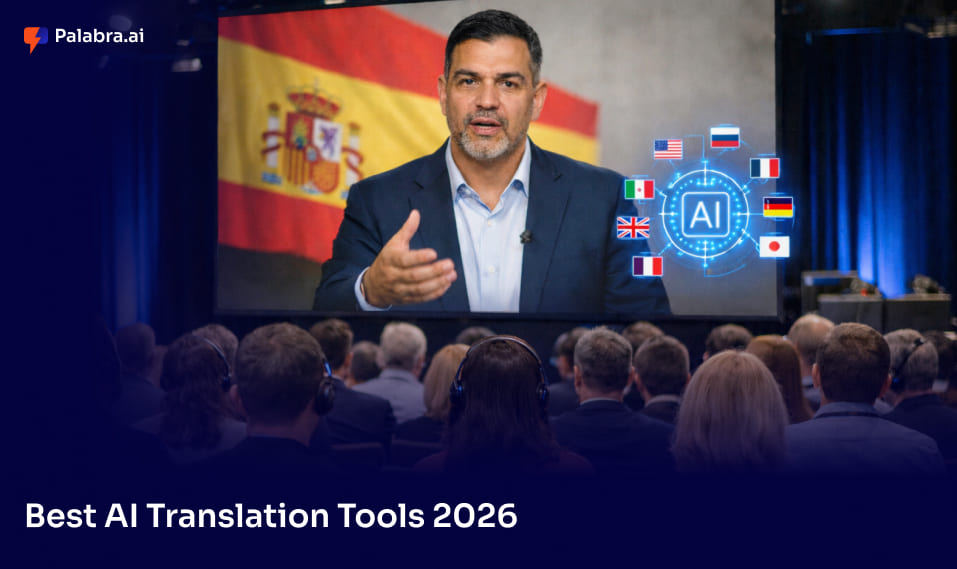
By 2026, AI translation has shifted from experimental technology to essential infrastructure for SaaS, product, and content teams. Localization is no longer a quarterly batch process – it’s continuous. Modern platforms embed translation directly into CI/CD pipelines, design tools like Figma, marketing automation systems, and CMS workflows. The expectation? Feature launches in English ship to major locales simultaneously, or within hours rather than weeks.
This article is a practical 2000-word review of the best AI translation tools available today. Rather than focusing solely on raw machine translation quality or BLEU scores, we evaluate these tools based on how they fit into real localization workflows – automation capabilities, integration depth, and collaborative features that matter for shipping multilingual products at scale.
The guide covers both full localization platforms (TMS combined with AI) and pure engines or LLMs. Both matter for building a complete translation stack. Whether you’re a localization manager evaluating enterprise solutions, a product manager looking to add language support, or a technical writer automating documentation workflows, you’ll find actionable guidance for connecting translation to your existing tools.
What is an AI translation tool in 2026?
AI translation tools in 2026 combine neural machine translation engines, large language models, and workflow automation to translate and localize text, UI strings, documentation, and marketing assets. These systems go far beyond simple text conversion – they maintain brand voice, enforce terminology, and integrate directly with development and content pipelines.
Modern AI translation tools typically include these components:
- MT engines: Neural models like DeepL, Google NMT, or custom domain-tuned engines
- LLMs: Translation-optimized versions of GPT, Gemini, or Claude for style control and longer context
- Translation memory (TM): Persistent stores of past translations for consistency and cost reduction
- Terminology management: Glossaries and style guides enforced automatically
- Workflow automation: Triggers, webhooks, and AI agents that route content based on rules
- QA modules: Automated checks for placeholders, length limits, and hallucination detection
The key distinction lies between stand-alone engines (raw translation APIs), generative AI chat tools (useful for ad-hoc work), and full localization platforms (TMS) designed for production pipelines. Stand-alone engines like DeepL provide excellent translation quality but lack workflow orchestration. Full platforms like Crowdin or Smartling combine multiple engines with collaboration, version control, and governance features.
For SaaS and product teams, modern tools support resource file formats (JSON, YAML, PO, Android/iOS strings), design file exports, help-center articles, and even video subtitles – not just traditional documents. This matters because you need to localize UI, in-app copy, and marketing assets as interconnected content, not isolated pieces.
Key benefits and limits of AI translation for scaling products
Teams adopt AI translation primarily for speed, volume, and cost advantages. When you’re shipping frequent product releases and running global marketing campaigns, waiting weeks for translated content simply doesn’t work.
Key benefits:
- Faster time-to-market: AI-powered translation reduces localization turnaround by 30-80% depending on content type and language pair
- Lower per-word costs: Hybrid AI + human workflows can cut costs by 60-90% compared to fully human translation
- Always-on translation: Support long-tail languages affordably that wouldn’t justify full human translation budgets
- Market testing: Launch in new locales cheaply to validate demand before heavy investment
- Continuous localization: Auto-sync UI string changes as developers commit code
Key limitations:
- Cultural nuance gaps: AI struggles with idioms, humor, and localized emotional tone
- Hallucination risk: LLMs can sometimes invent content or mistranslate facts without warning
- Regulatory and compliance concerns: Privacy requirements, data sovereignty (GDPR), and content sensitivity for legal, medical, or financial material
- Consistency at scale: Maintaining terminology and style across thousands of strings still requires human oversight
Hybrid AI + human workflows mitigate these constraints effectively. Machine translation post-editing (MTPE) lets AI produce first drafts while human editors polish high-stakes content. Smart routing sends segments below a confidence threshold to human reviewers while auto-approving routine content. In-country signoff catches cultural issues before launch.
How we evaluated the best AI translation tools in 2026
We evaluated these tools from the perspective of SaaS, product, and content teams localizing UI, documentation, and marketing campaigns. The focus is on how tools enable actual work – connecting to your existing tech stack and delivering results.
Evaluation criteria:
- Integration options: GitHub, GitLab, Bitbucket for UI strings; Figma for design copy; CMS connectors; marketing automation tools
- Automation features: Workflow triggers, webhooks, AI agents, auto-pretranslation, and CI/CD pipeline support
- Collaboration: Review workflows, commenting, role-based permissions, and vendor management
- Quality controls: Translation memory reuse, glossary enforcement, QA checks (syntax, placeholders, length), and quality estimation
- Security and compliance: Data privacy controls, encryption, ability to use private models, and session management
Pricing details are included where public information exists. Many enterprise platforms use custom quotes, so we provide ranges or examples rather than exact figures. The review also addresses when to use full platforms versus engines or LLMs directly – the choice depends on your content volume, workflow complexity, and governance requirements.
Crowdin: Collaborative localization hub for product teams
Crowdin is a cloud-based localization platform that has become particularly popular with SaaS and software teams. Its strength lies in combining deep collaboration features with powerful automation capabilities, making it a natural fit for teams that want translation integrated into their development workflow.

Core strengths:
- Wide format support: JSON, YAML, PO, Android/iOS string files, plus design file exports
- Tight repository integrations: GitHub, GitLab, and Bitbucket sync with branch-level control
- In-context localization: Visual editors for web and mobile that show translators exactly where strings appear
- Agentic AI capabilities: AI Pipeline Gen 4 uses prompt engineering and retrieval-augmented generation (RAG) to supply relevant context automatically
The typical workflow connects your code repository to a Crowdin project. When developers open a pull request or update strings, Crowdin triggers pre-translation via your chosen MT engine (DeepL, Google, or others), matching against translation memory and glossaries first. The platform’s Automator feature applies conditional rules – routing content to human review when quality confidence falls below a threshold, or auto-approving when it meets standards.
Use cases for SaaS teams:
- UI copy for web and mobile applications
- Release notes and changelog localization
- Game localization with context screenshots
- Help center and knowledge base content
- Surveys and forms via integrations like Alchemer
For design teams, Crowdin’s Figma integration lets designers review translated content directly in mockups. The context harvester collects screenshots and code context to reduce ambiguous orphan strings – a common pain point when translators work without visual reference.
Quality features include glossaries, style guides, and automated QA checks for placeholders, character length, and punctuation. Translation memory reduces costs over time as you reuse past translations. The platform also added hallucination detection and backtranslation support for security-sensitive texts in recent updates.
Pricing guidance:
- Free tier: ~60,000 hosted words, 1 private project, basic integrations
- Pro tier: ~$59/month with expanded limits
- Team tier: ~$179/month with additional collaboration features
- Enterprise: Custom pricing with unlimited integrations and advanced security
Crowdin fits into a modern stack as the hub between code repositories, design systems, and marketing CMS. It automates the handoff so that when code changes introduce new strings, they’re picked up, translated, and returned before release – often without manual intervention for routine content.
DeepL: High-quality MT engine for fluent first-pass output
DeepL has built its reputation on natural-sounding translations, particularly for European languages. It consistently produces fluent output that requires less post-editing than many competitors, making it a favorite for teams prioritizing translation quality over raw language coverage.
Key strengths:
- Fluent, natural output with excellent grammar and style
- Good context handling across sentences
- Formality controls (formal vs. informal tone)
- Strong performance across German, French, Spanish, Dutch, and increasingly Asian languages
- Document translation with layout preservation for Word, PowerPoint, and PDFs
For teams, the typical usage pattern involves calling the DeepL API from a TMS or internal tooling. You pre-translate bulk UI strings or documentation, then route the output to linguists for post-editing. This workflow works particularly well for marketing content, product documentation, and knowledge base articles where fluency directly impacts user experience.
Business offerings:
- DeepL Pro: Higher security, glossary support, team management
- Pricing: Character-based billing; Teams plan starts around €25-50/user/month depending on usage
- DeepL Voice API: New capability for live speech translation, targeting contact center use cases
Limitations to consider:
- Narrower language coverage (~30-40 languages) compared to Google’s 200+
- No full localization workflow – you need a surrounding TMS for governance
- Limited visual context or in-app review capabilities
A product team can pre-translate a new feature’s UI strings and release notes via DeepL in minutes, then push the output to their TMS for human review before release.
Google Cloud Translation & Google Translate: Broad coverage and easy access
Google offers two distinct products: the consumer-facing Google Translate and the developer-focused Google Cloud Translation API. For production localization, the Cloud API provides the flexibility and control that teams need.
Consumer Google Translate:
- Instant translation across 200+ languages
- Text, website, and image translation
- Useful for internal quick checks and low-risk content
- Free web interface for ad-hoc use
Google Cloud Translation API:
- REST API integration with backend services and TMS platforms
- Glossary support with grammatical enforcement
- Adaptive Translation: Supply example sentence pairs to customize output for your domain
- Translation LLM: Longer context windows for document-level coherence
- Support for HTML markup preservation
Common SaaS use cases include real-time translation of user-generated content, in-app chat localization, lightweight UI translation for MVP experiments, and fallback language support. The API integrates easily with edge functions, backend services, and localization platforms.
Pricing follows a pay-as-you-go model based on characters translated – typically starting at $20 per million characters for basic NMT. The Translation LLM costs more but provides better quality for complex content. This model works well for APIs embedded directly in applications where usage varies.
Limitations include terminology consistency challenges (glossaries help but don’t solve everything), the need for additional QA processes, and privacy considerations if you’re handling sensitive content. Enterprise plans and VPC configurations address some of these concerns.
LLM-based tools: GPT, Gemini, Claude and when to use them
Large language models have become central to localization workflows by 2026. GPT-4.1, Gemini 3, and Claude 3-4 offer capabilities that traditional MT engines can’t match – adjusting tone, summarizing while translating, handling massive context windows, and performing style cleanup alongside translation.
Key strengths of LLM-based translation:
- Ability to adjust tone, voice, and formality through prompting
- Simultaneous summarization and translation
- Large context windows for translating entire documents or codebases coherently
- Style and QA cleanup built into the translation pass
- Generation of localized content variants, not just direct translation
Many vendors now wrap LLMs into managed ai translation services, combining translation capabilities with glossary enforcement, domain adaptation, and post-editing workflows. Smartling’s AI Hub exemplifies this approach – supporting multiple LLMs and MT providers with prompt tooling and RAG to fetch relevant translation memory during generation.
How the major LLMs differ:
| Model | Best For | Key Advantage |
| GPT | General translation, marketing copy | Strong reasoning, wide language coverage, large ecosystem |
| Gemini | Multimodal workflows, code + docs | Long context, fused text/image/speech capabilities |
| Claude | Compliance-sensitive content | Careful outputs, policy-aware, good for summarization |
Practical workflows for SaaS teams include using LLMs to generate draft localized UX microcopy, rewrite marketing campaigns per locale rather than directly translating, and auto-generate localized release notes for each market.
Important limitations:
- Token usage and costs escalate with long documents or frequent requests
- Latency constraints for high-volume real-time pipelines
- Data privacy concerns unless using enterprise plans with appropriate controls
- Lack of persistent TM and glossary enforcement without additional tooling
- Need for strong prompt engineering and guardrails to prevent hallucinations
Other notable AI translation tools for specific needs
Several tools excel in specific niches or complement primary TMS platforms:
| Tool | Best For | Key Features |
| Smartcat | Teams needing AI + on-demand linguists | TMS with freelancer marketplace, multiple MT engine support |
| Trados Studio/RWS | Professional translator workflows | Desktop CAT + cloud, detailed control, agency-friendly |
| Amazon Translate | AWS-native backends | Developer-centric API, integrated with AWS data pipelines |
| Microsoft Translator | Microsoft-centric environments | Broad MT, Office/Teams integration, Azure deployment |
| MemoQ | Document-heavy workflows | Adaptive MT suggestions, strong TM, desktop + cloud |
These tools often combine with a primary TMS rather than serving as complete localization solutions. Amazon Translate might handle backend user-generated content while Crowdin manages UI strings and marketing copy. Smartcat can supplement an enterprise TMS when you need quick access to specialized linguists for new language pairs.
How to choose the right AI translation stack for your team
There’s no single “best” tool – teams typically combine a localization platform with one or more MT and LLM engines based on their specific needs.
By company stage:
| Stage | Recommended Stack | Focus Areas |
| Early-stage SaaS | Lightweight TMS + one MT engine | 3-5 core languages, minimal workflow complexity |
| Growth-stage | Platform like Crowdin + multiple MT/LLM options | Git/Figma/CMS integration, glossaries, automation |
| Enterprise | Full TMS (XTM/Smartling class) + custom models | Strict workflows, security, multi-vendor management |
Key decision questions:
- What integrations does your tech stack require? (Git, Figma, specific CMS)
- What content types dominate? (UI strings, docs, marketing, user-generated)
- Do you have in-house linguists or rely on external vendors?
- What compliance and regulatory requirements apply?
- What’s your realistic budget for per-word costs and platform subscriptions?
Start with a pilot: Test 2-3 MT engines on the same content, measure post-editing time, gather native speaker feedback, and track impact on conversion or user satisfaction before committing to a full rollout.
FAQs
Can AI fully replace human translators?
AI handles routine translation tasks well – low-risk UI strings, blog content, and user-generated material. However, high-stakes content (legal, medical, sensitive marketing, compliance documentation) still requires human translation or review. The most effective approach combines AI for speed and scale with human expertise for quality assurance and cultural adaptation.
Which tools are best for UI strings versus marketing copy?
UI strings demand format preservation, placeholder safety, and strict terminology enforcement. Engines like DeepL or Google NMT paired with a TMS like Crowdin work well. Marketing copy requires tone adaptation and persuasive style – LLM-based translation or platforms with style guide enforcement handle this better. Many teams use different engines for different content types within the same workflow.
How secure is it to send content to MT/LLM providers?
Security varies significantly by provider and plan. Enterprise-grade contracts typically include encryption, control over data retention, and guarantees that client content won’t train general models. For sensitive content, look for providers offering “private mode,” on-premises deployment, or VPC configurations. Always review provider terms and ensure they meet your compliance requirements.
How many languages can a small SaaS realistically support with AI?
With modern MT and LLM tools, even small SaaS companies can support 10-30 locales affordably, especially for non-core content. Start with your top 3-5 markets for full localization (UI, docs, marketing), then expand with lighter coverage for long-tail locales. As translation memory builds up, the cost per additional language drops significantly.
Conclusion: Building a future-proof AI translation stack
The “best” AI translation tool is the one that fits your workflows, tech stack, and risk profile. No single product does everything – the market has matured into specialized layers that combine effectively. A strong localization platform handles orchestration, version control, and collaboration, while best-of-breed MT and LLM engines provide the translation quality each content type demands.
Start with your current stack: map where your code, design, and content live, identify integration points, and run a pilot in 1-2 markets. Measure not just translation speed but post-editing effort, reviewer feedback, and downstream metrics like user engagement or conversion in new locales. Refine your engine choices and automation rules based on real data rather than vendor promises.
AI and human linguists will continue to collaborate – this isn’t a replacement story but an augmentation one. Building solid processes now, with proper translation memory, glossaries, and quality checks, makes adopting future models easier. The teams that invest in localization infrastructure today will ship to global markets faster tomorrow, while competitors are still waiting for batch translations to arrive.
Stay in touch to get more updates & news on Magazine!

