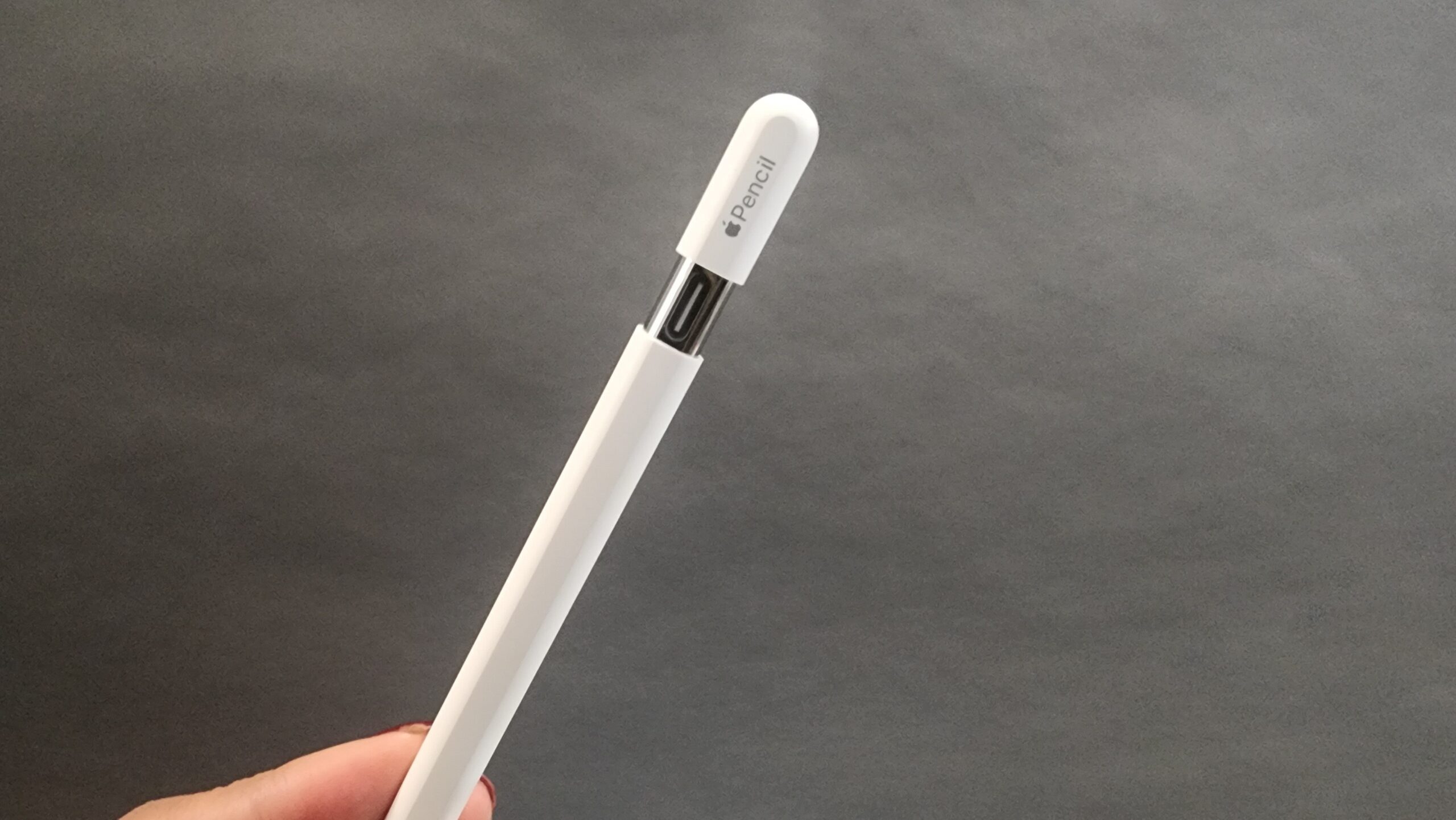
Architects and design professionals who rely on digital sketching face a tangible decision when selecting a stylus for use with iPad-based architectural CAD applications. The latest generation of iPads supports both the USB-C version and the 2nd Generation stylus, but each model brings unique hardware considerations to the design table. When sketching site plans, annotating blueprints, or making rapid markups during client meetings, the stylus choice directly affects workflow speed, comfort, and precision. The right option for architectural CAD work comes down to how these tools handle pressure sensitivity, physical ergonomics, charging habits, and compatibility across the devices used in daily practice. By comparing the real-world impacts of each model, CAD professionals can make an informed selection that aligns with the demands of architectural drawing, review, and annotation.
Apple Pencil USB-C and Apple Pencil 2nd Generation Hardware Differences for Architects
Hardware design plays a decisive role in the Apple Pencil usb c vs 2nd gen cad debate. The USB-C model adopts a matte plastic finish with a rounded edge, while the 2nd Generation features a matte, flat-sided design that magnetically attaches to compatible iPads for both storage and wireless charging. For architects who sketch floor plans or annotate construction details on-site, the physical grip and overall balance affect fatigue during extended sessions. The USB-C stylus must be plugged into a port to charge, which can disrupt a fast-paced workflow if the cable is misplaced. Meanwhile, the magnetic charging and storage of the 2nd Generation version allow architects to keep their stylus ready at all times, a small but meaningful advantage during busy site visits.
Compatibility also separates the two. The USB-C stylus works with the latest base-model iPads, while the 2nd Generation is limited to certain iPad Pro, Air, and mini models. This means that architects standardizing on higher-end tablets for their CAD work may find the 2nd Generation version a more natural fit for their setup. Comparing stylus hardware impacts on ergonomic use helps professionals determine which option best suits onsite sketching and review.
Precision and Pressure Sensitivity in Architectural CAD Applications
Precision is essential when architects edit technical drawings or create detailed conceptual sketches. The 2nd Generation stylus offers advanced pressure and tilt sensitivity, supporting nuanced line weight adjustments and shading in CAD applications such as Autodesk SketchBook or Morpholio Trace. This enables architects to replicate the tactile feel of pen on paper, which is vital for iterative design and clear communication with collaborators.
The USB-C stylus delivers solid performance for basic sketching, but it lacks the pressure sensitivity of the 2nd Generation model. For professionals who need to distinguish between construction lines and final outlines in digital blueprints, this difference can impact both speed and accuracy. Line variation is especially important in architecture, where clarity of detail ensures successful project execution. The Apple Pencil lineup demonstrates how stylus technology can affect the finesse of markups and the clarity of project documentation, giving architects a practical edge when selecting their tool of choice.
Charging Mechanisms and Portability for On-Site Drafting Professionals
Architects moving between office, client meetings, and construction sites require a stylus that supports a mobile workflow. The 2nd Generation stylus benefits from wireless charging, automatically recharging when magnetically attached to a compatible iPad. This design reduces the need to carry extra cables and ensures the stylus remains topped up between uses—a significant advantage when making last-minute changes to site plans or reviewing punch lists on location.
In contrast, the USB-C version relies on a direct connection to the iPad’s USB-C port for charging. While this method is straightforward, it requires carrying a cable and may interrupt work if the stylus battery runs low unexpectedly. The inability to charge wirelessly means that architects who frequently transition between spaces may find their workflow interrupted more often. For professionals who prioritize uninterrupted sketching, understanding the differences in stylus charging and mobility is key to a seamless mobile experience.
Value Proposition and Stylus Selection for Architecture Workflows
Cost, device compatibility, and workflow needs all influence the Apple Pencil usb c vs 2nd gen cad decision. The USB-C option is more affordable and pairs with the latest standard iPads, making it accessible for firms equipping teams or for early-career professionals entering the field. However, the reduction in features—most notably, the lack of pressure sensitivity and wireless charging—may be significant for architects who conduct detailed markups or rely on advanced drawing techniques.
The 2nd Generation stylus commands a higher price but justifies its cost through enhanced drawing fidelity, ergonomic magnetic charging, and seamless integration with premium iPad models. Professionals who routinely engage in complex digital sketching, markups, and collaborative review sessions will likely benefit from these features. The investment pays off in workflow efficiency, drawing precision, and the ability to keep hardware ready for spontaneous project changes.
Conclusion
Architects should choose a stylus that matches both their technical drawing requirements and their preferred iPad model. Those focused on detailed digital sketching and advanced markups will gain significant value from the 2nd Generation stylus’s superior sensitivity and charging design. For more basic annotation or firms balancing cost and compatibility, the USB-C model meets essential needs. Evaluate your drawing habits and device preferences to make the most appropriate selection for your architectural CAD workflow.

